Final Fantasy VII is possibly one of the most modded games of all time, and the community has taken it to a whole new level. With the right FF7 mods you can replace every texture, the soundtrack, the sound effects and even the combat, and yet, unlike Final Fantasy VII Remake, it still feels very much like the classic game. If you have ever wondered what a perfect remaster of the original might look like, this could be the answer.
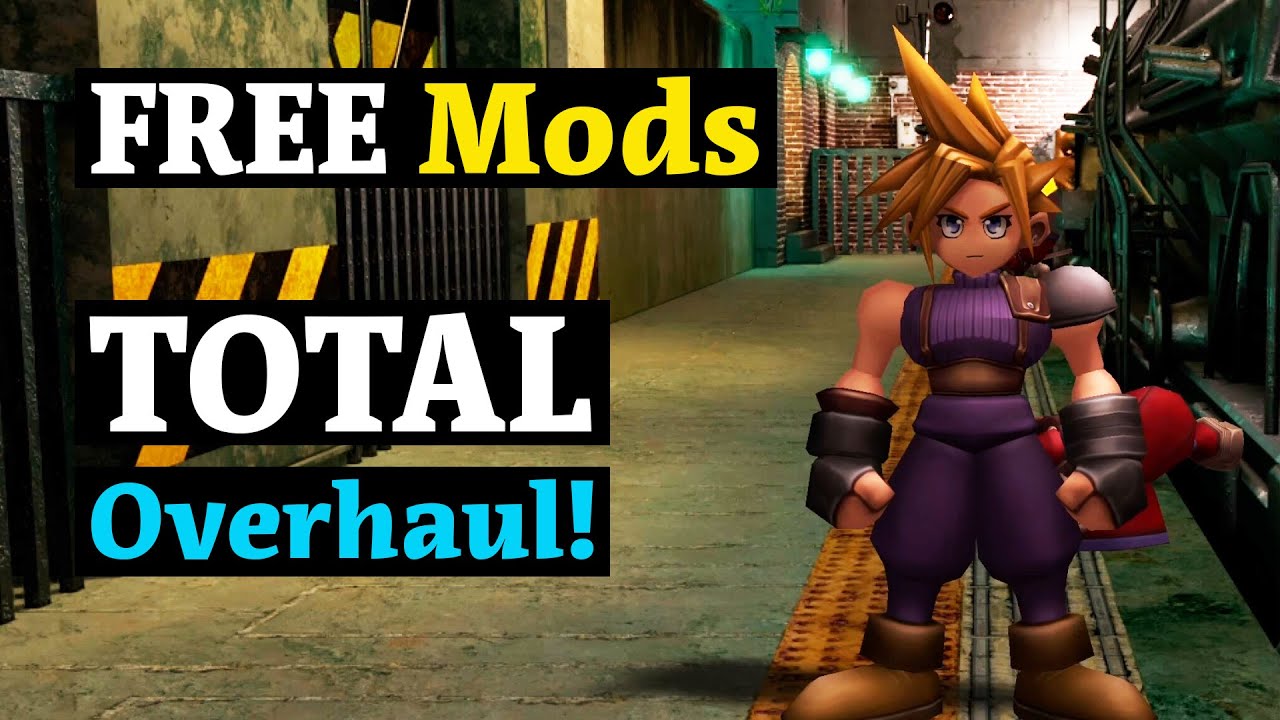
Below are the best mods for Final Fantasy VII right now, section by section: HD cutscenes, character models, field backgrounds, frame rate, battles, sound, music, full voice acting and a complete gameplay rebalance. Almost all of them install through the 7th Heaven mod manager, and if you have not set that up yet, follow my 7th Heaven setup guide for the Steam and GOG versions first.
FMVs: Cosmos FMV
I still remember starting Final Fantasy VII for the first time and being greeted by that epic opening FMV. We have been spoiled by gorgeous cutscenes in so many games since that we cannot recapture the original magic, but we can give those FMVs some love, and that is where Cosmos FMV comes in. It replaces the character models in the FMVs with ones created by Ninostyle, which honour the original look while adding extra flair, and it upscales every FMV for a high definition finish that blends in with the rest of a modded game.
My favourite feature is the frame rate. The original FMVs run at a choppy 15 frames per second, and Cosmos FMV brings them up to 30 across the board. Those changes alone make it worth the download.

Field Character Models: Ninostyle
With revamped FMVs, it would be a shame to zoom into the train station at the start of the game and find the original field models waiting for you. Several mods change the character models with varying degrees of success, but for me Ninostyle’s are at the top. All the main characters get brand new HD models, and Cloud looks stunning.
The catch is that the HD models can look a little out of proportion next to field objects such as tables, beds and doorways. Ninostyle’s other option solves that: the chibi models. They do not try to be as detailed as the HD versions. Instead they honour the original character models much more closely while still being fully updated and HD, and because they fit FF7’s overall style, they are my go-to choice. There are a few options in the mod settings too, and my favourite shows the Buster Sword on Cloud’s back in the field.

That reflects my whole approach to modding FF7. I want to honour the original game’s design and style, and play it the way I remember it being rather than the way it actually was. Nostalgia is a powerful thing, and the mods I have picked all lean into that.
Field Backgrounds: Upscales, Project Edge and Widescreen
The new character models look fantastic, if a little out of place against the original backgrounds. Final Fantasy VII, like FF8 and FF9, uses hand drawn pre-rendered backgrounds with collision detection, so unless you are in a battle or on the world map, your characters are walking across a painting. There are 703 of these field backgrounds in the game.
The most common way to mod them is to upscale them to HD. Tsunamods’ SYW Unified Field Textures does this well, combining AI upscaling with a huge amount of manual adjustment to create an HD look in the style of the original. Project Edge goes even further. Instead of upscaling the original art, its creator builds fully 3D modelled backgrounds from scratch and imports them in a way the game can use, and they look phenomenal, with a level of realism the original could never reach.

The catch with Project Edge is the sheer amount of work involved. Only around 14 percent of the field backgrounds have been rebuilt this way. Many people get round that by running Project Edge alongside SYW Unified Field Textures, so you see a Project Edge background wherever one exists and the AI upscale everywhere else.

Both SYW and Project Edge also support true 16:9 widescreen. The original game was made for 4:3 televisions, so on a modern display you get large black bars down the sides. Widescreen support removes them by adding real extra image, not by stretching the picture. You will still see smaller black bars at the top and bottom, which were also present in the original. If you want to fill the screen completely, use Cosmos Limit Break instead. It is another AI upscale with manual adjustments, and while it does not have Project Edge’s level of detail, it transforms every background in the game, supports full widescreen and fills in those top and bottom bars. It is not compatible with Project Edge, so you have to choose, but having the full screen to run around in is a great trade.

Frame Rate: The 60/30 FPS Gameplay Mod
Before touching the battle graphics, fix the frame rate. You may not realise it, but FF7’s battles run at just 15 frames per second. You could get away with that back in the day, but now it feels really janky. The 60/30 FPS Gameplay mod is quick and easy to use and does exactly what its name suggests, raising battles from 15fps to 30 or 60. I am greedy, so I go straight for 60. It makes battles feel far more immersive just by making them smoother, and it raises the frame rate across nearly the whole game, including the field and the world map.

Battle Models and Textures
For the battles themselves, start with the character models. I recommend Ninostyle Battle, which adds HD models for all the main party members and a large number of enemies too.

For the battle backgrounds there are two very good options, both compatible with widescreen: Tsunamods’ Avalanche Arisen and AxelRose’s Blender. I recommend using them together. AxelRose’s mod does not change every battle, so Avalanche Arisen fills in the gaps. AxelRose’s backgrounds are much punchier, with more vibrancy and colour, they fix lighting issues the original had, especially on the ground, and they revamp the skyboxes. Whether you use one or both, your battle graphics will be brought right up to date.

Quickfire Mods You Should Not Miss
By now the game looks absurdly good, but there are three more mods I would not skip. Cosmos Gaia overhauls the world map, giving you far more freedom with the camera, real time lighting and a longer view distance. SYW Unified Minigame Textures adds an extra layer of polish to FF7’s many mini games, with crisper HD fonts and text on top of the model updates you already have.

Finally, Enhanced Stock UI gives the menus, dialogue boxes and even the item icons a revamp. My favourite feature is its minimal battle interface. The original is a little bulky, and the slimmer version suits a modern game really well.
Sound Effects: Cosmo Memory
With the visuals sorted, the original 1997 audio needs a refresh too, and there are mods for the sound effects, the music and even full voice acting. For sound effects, go for Cosmo Memory. It is a huge overhaul that updates every sound effect in the game, adds ambient sound to the fields and battles, adds footsteps, updates the sound in the FMVs and even adds voices to the characters in battle. It is the go-to mod for this part of the game.

Music: The Arranged Soundtrack
FF7’s music is quite possibly one of the best soundtracks of all time, and certainly my favourite. So a music mod should honour the original tracks rather than reinvent them, just giving them an HD upgrade. If you plan to use the Echo-S 7 voice mod covered below, you are already covered, because it includes a soundtrack revamp of its own. If you want a standalone soundtrack, Tsunamods’ arranged soundtrack is probably the one to go for. There is plenty of choice in this area, but it is an extremely faithful recreation that sounds wonderful, and it even updates the music in the FMVs.


Voice Acting: Echo-S 7
Now for arguably the most ambitious mod ever made for this game: Echo-S 7, a fan-made mod that adds voice acting to the entire game. Not just the main characters, although they are done too, but every single line of dialogue. It took multiple years and many people giving their own time for free.
For the most part it works really well and adds an extra level of immersion. The microphone quality is not always consistent, and voice acting in FF7 will feel a little odd to some people, but it is a genuinely different experience and I could not leave it out. At least try it and see what you think.

Gameplay: New Threat 2.0
At this point you have a very good unofficial remaster: great graphics, great sound and music, and voice acting if you want it. I honestly do not think an official remaster from Square would be as good as what the community has built for free. But there is one more step, and that is rebalancing the gameplay. There are plenty of difficulty and gameplay mods, but one is essential for every FF7 fan to try at least once: New Threat 2.0 by Sega Chief.
The original FF7 was rushed through development, and in places it feels incomplete. The way I describe New Threat 2.0 is that playing it feels like playing the FF7 that might have existed in another universe where it got that extra time. It is not a difficulty mod as such, although it is a step up from the original. It rebalances every enemy, item and piece of materia, changes where things are found and adds new ones. Every party member is rebalanced and made unique, with their own class, fighting style and abilities. For example, Cloud automatically counters while in his defensive stance. There is a new progression system for boosting stats, and magic and physical attacks are balanced against each other, whereas in the original, physical attacks dominate the endgame because they hit for maximum damage with very little animation time.

Many story beats are expanded too. I will not spoil much, because some of these changes will catch even FF7 veterans by surprise, but here is one example from the opening bombing mission. In the original you get 10 minutes to escape the reactor after the Guard Scorpion, which is far too long. In New Threat 2.0 you have less time, and the Guard Scorpion is not fully defeated, ambushing you a second time while Jessie, whom you free at that point, helps you out. Further into the game there are new secrets to hunt down, including brand new boss fights, some extremely challenging.

One important note: New Threat 2.0 changes so much that it is not compatible with Echo-S 7, so you have to choose between the gameplay overhaul and voice acting. The choice is yours, but if you can, I recommend a playthrough with each.
Final Thoughts on the Best FF7 Mods
As much as Final Fantasy VII blew me away in 1997, I never imagined it would still be such a big part of my gaming life nearly three decades later. These mods show how much love the fans still have for it, and with Square Enix in the middle of the Remake trilogy, it is clear the game is not going anywhere. A huge thank you to every mod author who has helped keep Final Fantasy VII so relevant.
If you want to put your modded game to good use, try maxing your stats in 90 minutes with the W-Item glitch, and if you are coming from the old 2013 Steam release, here is how to transfer your FF7 save files. You can find every mod above through 7th Heaven and the Qhimm mod list, and Echo-S 7 is available from Tsunamods.
What is your favourite FF7 mod, and is there one I should have included? Let me know in the comments on the YouTube video.